10 amazing ready-to-use TTS tools for multilingual voiceovers in 2026
Text-to-speech technology has come a long way since those robotic voices we all remember from the early 2000s. Today, ready-to-use TTS tools can produce voiceovers that sound remarkably close to real human speech, complete with natural pauses, tonal shifts, and even emotional expression. If you work with multilingual content — whether that's YouTube videos, corporate training, podcasts, or marketing campaigns — picking the right TTS tool matters more than ever.
The market got noticeably more competitive in 2026. Several platforms expanded their language libraries, improved latency for real-time applications, and rolled out better voice cloning features. But not every tool fits every use case. Some are built for enterprise-scale deployments while others work best for solo creators who just need a quick, polished voiceover.
Here's a breakdown of 10 TTS tools worth considering this year, with honest takes on where each one shines and where it falls short.
1. ElevenLabs: Industry-Leading Voice Quality
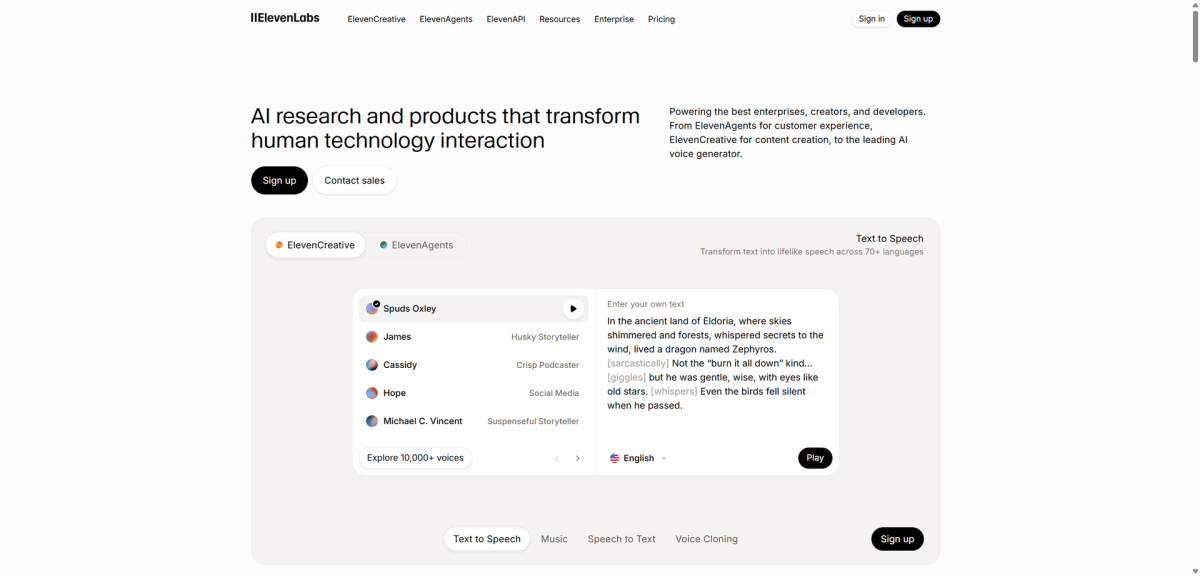
ElevenLabs has maintained its position at the top of the TTS space heading into 2026, and for good reason. The platform now supports over 32 languages with accents that actually sound like they belong to native speakers — not just translations layered over an English speech model.
Their voice cloning feature remains one of the best available. Upload a few minutes of sample audio and you get a synthetic version that's surprisingly close to the original. The controls for pronunciation, emphasis, and emotional tone give you fine-grained adjustments that most competitors still lack.
- Pros:Voice quality that consistently impresses, even on tricky languages like Vietnamese and Arabic
- Clean interface that doesn't require a manual to figure out
- Granular emotion and pacing controls
- Cons:The free tier is quite limited in character count; serious use requires a Pro plan
- Voice cloning and advanced features sit behind the paid wall
Best For: Content creators and businesses producing multilingual voiceovers where quality can't be compromised. If your audience will hear the voice for extended periods (audiobooks, long-form videos), ElevenLabs handles that well without listener fatigue.
2. Google Cloud Text-to-Speech: Scalable and High-Fidelity
Google's TTS offering continues to be the workhorse for developers who need reliability at scale. With 50+ languages and over 400 voices in the latest update (including their Studio and Neural2 voice models), it covers more ground than almost any other platform.
Where Google Cloud TTS really earns its keep is in API integration. If you're building a product that needs speech output — a language learning app, an accessibility tool, a customer service bot — the API documentation is thorough and the uptime is what you'd expect from Google.
- Pros:Massive language and voice library with consistent quality across all of them
- WaveNet and Neural2 voices sound genuinely natural
- Scales from prototype to production without switching platforms
- Cons:Not designed for casual users; getting set up requires GCP knowledge and API key management
- Pricing can add up quickly at high volume
Best For: Development teams and enterprises building products with built-in speech. Not the best pick if you just want to paste text and download an audio file, but hard to beat for production-grade integration.
3. Murf AI: User-Friendly and Collaborative
Murf AI carved out a niche by making the voiceover process feel more like editing a document than running a recording studio. The drag-and-drop timeline, built-in video sync, and team collaboration tools make it particularly popular with marketing teams.
The voice library includes 120+ options across 20+ languages. Quality varies — some voices sound noticeably more natural than others — but the top-tier options hold up well for professional use. The emotional inflection controls let you shift between a cheerful ad read and a serious corporate tone without starting from scratch.
- Pros:One of the easiest TTS platforms to learn and actually enjoy using
- Collaboration features that save time on team projects
- Built-in media editing reduces the need for separate audio tools
- Cons:Voice customization depth doesn't match platforms like ElevenLabs
- Some voices in non-English languages feel less polished
Best For: Marketing teams and video producers who need to turn around multilingual voiceover projects quickly without a steep learning curve.
4. Play.ht: Fast and Lifelike Voice Generation
Play.ht has been aggressive about expanding its offering, and the results show. The platform now supports over 140 languages with 900+ AI voices — numbers that put it near the top for pure coverage. Their PlayHT 2.0 model specifically targets conversational speech patterns, and it does a better job with casual, natural-sounding delivery than many competitors.
Real-time generation is another strength. Latency sits consistently below 300ms for most voice models, which makes Play.ht a solid option for interactive applications where users expect immediate responses.
- Pros:Huge voice and language selection
- Low-latency generation that works for streaming and real-time use cases
- REST and gRPC API support for flexible integration
- Cons:Voice style options thin out in less common languages
- The interface can feel cluttered with so many options
Best For: Developers building real-time speech features and content creators who need access to a wide variety of voices across many languages.
5. Amazon Polly: Affordable and Scalable
Amazon Polly doesn't try to be flashy. It's a reliable, cost-effective TTS engine that integrates neatly into the AWS ecosystem. With support for 40+ languages and both standard and neural voice options, it handles most business use cases without issue.
SSML support gives you control over pronunciation, pauses, and speech rate. The pay-as-you-go pricing model keeps costs predictable, which matters when you're processing thousands of text blocks per month.
- Pros:Pricing that makes sense for budget-conscious projects
- Tight integration with AWS services like Lambda, S3, and Connect
- Consistent output quality across supported languages
- Cons:Neural voices are available for fewer languages than Google or ElevenLabs
- No built-in editing interface; you work entirely through the API or AWS console
Best For: AWS-native teams and developers who need a dependable TTS engine without premium pricing. Particularly useful for automated workflows like generating audio versions of blog posts or notifications.
6. Speechify: Accessible and Productivity-Focused
Speechify takes a different approach than most tools on this list. Instead of targeting content creators, it's built primarily for people who want to listen to text rather than read it — students working through dense material, professionals catching up on reports during a commute, or anyone who absorbs information better through audio.
The OCR feature is a genuine standout. Point your phone camera at a printed page and Speechify reads it aloud. Cross-device sync means you can start listening on your laptop and pick up where you left off on your phone.
- Pros:OCR capability that actually works well in practice
- Clean, distraction-free interface focused on consumption
- Free tier generous enough for regular personal use
- Cons:Voice selection is limited compared to creator-focused platforms
- Not built for producing downloadable voiceover files at scale
Best For: Students, researchers, and professionals who want to turn reading material into audio. Not a production voiceover tool, but excellent for personal productivity.
7. Descript: All-in-One Content Creation
Descript blurred the line between TTS tool and full content editing platform. The text-based editing approach — where you edit audio by editing the transcript — remains one of the most intuitive workflows in the industry. Delete a word from the transcript and it disappears from the audio. It's that simple.
Voice cloning through their Overdub feature lets you generate speech in your own voice without re-recording. The platform now supports 23+ languages, though English voices still sound noticeably better than most other language options.
- Pros:Text-based editing saves enormous amounts of time on audio and video projects
- Overdub voice cloning is surprisingly accurate with enough training data
- Full editing suite means fewer tools in your workflow
- Cons:Multilingual voice quality is uneven; English is clearly the priority
- Learning curve for the full editing platform if you only need TTS
Best For: Podcasters and video editors who want TTS as part of a larger editing workflow rather than a standalone feature.
8. Synthesia: AI-Generated Avatars and Videos
Synthesia occupies a unique space by combining TTS with AI-generated video avatars. You type your script, pick an avatar, choose a language from 130+ options, and get a finished video with a talking presenter. No camera, no microphone, no studio.
The 2026 avatar updates look more realistic than previous versions, though they still sit firmly in uncanny valley territory if you look closely. For training videos, internal communications, and social media content where perfection isn't required, the speed advantage is significant.
- Pros:Fastest path from script to finished video with a presenter
- Broadest language support on this list at 130+ languages
- Custom avatar creation for brand consistency
- Cons:Premium pricing, especially for custom avatars and higher resolution output
- Avatars still don't pass for real humans in close-up shots
Best For: Corporate training teams, HR departments, and marketers who need to produce multilingual video content at scale without hiring on-camera talent.
9. NaturalReader: Versatile and Dyslexia-Friendly
NaturalReader keeps things straightforward. Paste your text, pick a voice, hit play. The interface is clean enough that someone with zero technical background can use it productively within minutes.
The accessibility focus is genuine. Dyslexia-friendly features include adjustable reading speed, word-by-word highlighting, and font choices designed for easier reading. OCR support handles PDFs and images, making it useful for digitizing printed material.
- Pros:Dead simple to use, with a free version that covers basic needs
- OCR handles PDFs and scanned documents reliably
- Accessibility features that go beyond what most TTS tools offer
- Cons:Voice quality sits a tier below premium platforms like ElevenLabs or Google
- Limited options for professional voiceover production
Best For: Students, educators, and anyone who benefits from text-to-audio conversion for accessibility reasons. Also useful as a quick-and-dirty proofreading tool — hearing your writing read aloud catches errors your eyes miss.
10. IBM Watson Text-to-Speech: Secure and Enterprise-Grade
IBM Watson TTS targets a specific audience: enterprises that need reliable speech synthesis with strict security and compliance requirements. If your organization handles healthcare data, financial records, or government contracts, Watson's compliance certifications matter more than a flashy interface.
The voice library covers 16+ languages with neural models. Custom voice creation lets large organizations build branded voices, though the process requires a meaningful time and data investment.
- Pros:Enterprise-grade security and compliance (HIPAA, SOC2, GDPR)
- Flexible deployment including on-premise options for sensitive environments
- Custom voice development for brand consistency
- Cons:Pricing is enterprise-oriented; not practical for freelancers or small teams
- Smaller language and voice library than consumer-focused competitors
Best For: Enterprises in regulated industries where data security and compliance are non-negotiable requirements for any cloud service.
Choosing the Right TTS Tool
There's no single "best" TTS tool on this list. The right pick depends entirely on what you're building and who you're building it for.
For raw voice quality across multiple languages, ElevenLabs and Google Cloud TTS sit at the top. Creators producing video content should look closely at Murf AI and Synthesia. Budget-conscious teams can get genuine value from Amazon Polly and Speechify without sacrificing too much on quality.
One thing worth noting: most of these platforms offer free tiers or trial periods. Before committing to a paid plan, spend an hour testing your specific use case with two or three options. The voice that sounds best reading marketing copy might not be the best choice for a 10-hour audiobook, and vice versa.
Whatever you choose, the bar for TTS quality in 2026 is higher than it's ever been. Even the mid-tier options on this list would have been considered cutting-edge just two years ago.