Best AI Model Routers in 2026: Honest Rankings That Cut Through the Hype
Introduction
You've seen the pitch. "Cut your LLM costs by 50% with AI routing." The demo looks impressive. The GitHub stars are piling up. So you plug in your API key, flip the switch, and... six months later you're not sure if you're actually saving money, your latency is worse, and your team has no idea which model is even responding to any given prompt.
That's the real story of AI model routers in 2026 — not that they don't work, but that the gap between the marketing and the lived experience is enormous. The tools that genuinely deliver value exist. The ones that don't are also very loud about it.
This post is an honest look at both. We'll cover what routers actually do, which routing strategies actually save money (and by how much), rank the top tools with real tradeoffs, and give you a framework to pick the right one for your stack — or decide you don't need one yet.
What you'll learn:
Which routing strategies actually move the needle on cost
Honest pros and cons of the six routers worth knowing about
The hidden costs and failure modes nobody talks about
A decision framework to pick the right tool for your team
What AI Model Routers Actually Do in 2026
Let's start with the confusion, because it's real. You hear "AI router," "AI gateway," "LLM proxy," and "model orchestration layer" used interchangeably, and they mean different things.
An AI model router makes a decision: given this prompt, which model should handle it? The routing happens at the prompt level — before any inference runs.
An AI gateway is a broader infrastructure layer that handles routing plus retries, rate limiting, logging, caching, and observability around your LLM calls.
An LLM proxy is typically a simpler wrapper — it gives you a unified API across providers so you can swap OpenAI for Anthropic without touching your code.
Most products blur these lines. OpenRouter started as a router and became a gateway. Portkey calls itself an AI gateway but does sophisticated routing. LiteLLM is a proxy that can be extended into a full router. The category is still finding its shape.
The core question every router is answering is: Where does this prompt go, and why?
The "why" is where the strategy lives — and that's what separates the tools that actually save money from the ones that just add a dashboard.
The Routing Strategies That Actually Save Money
Not all routing is equal. The strategy your router uses determines whether you save 5% or 50%, and whether your output quality holds up. Here's the honest breakdown.
Strategy 1: Static Provider Switching
The simplest approach — you route all requests to Provider A until a cost threshold is hit, then switch to Provider B for the remainder of the billing cycle.
Cost savings: 10–15%
Latency impact: Neutral
Quality impact: None — you're always using the same model per request
This is basically just a monthly budget switch. It works if you have predictable workloads and want to avoid bill spikes, but it has nothing to do with intelligence.
Strategy 2: Simple Load Balancing
Round-robin or weighted distribution across multiple providers. Like distributing traffic across servers.
Cost savings: 15–25%
Latency impact: +5–10ms (extra network hop)
Quality impact: Variable — if models differ in capability, you lose consistency
This is where most teams start, and it's better than static switching, but it's still blind to what the prompt actually needs.
Strategy 3: Intent Classification Routing
This is the high-leverage move. A small embedding model (or a fine-tuned classifier) reads each prompt, classifies the task type (coding, summarization, creative writing, factual Q&A), and routes to the cheapest capable model for that task.
Cost savings: 30–50%
Latency impact: Variable — classification adds ~10ms, but routing to faster models can compensate
Quality impact: Low if classification is well-tuned; noticeable if not
This is where the a16z data is most compelling cite: a16z AI Pulse Q1 2026 report on multi-provider LLM routing economics. Teams running intent classification routing consistently report the highest savings per quality point.
The catch: you need ground truth. That means an eval pipeline — a set of prompts with known-good answers — to measure whether your router is making correct classification decisions. Without that, you're flying blind.
Strategy 4: Hybrid Caching + Routing
Cache semantically similar prompts (not just exact matches), then route only cache misses to live models.
Cost savings: 50–65% on workloads with high semantic redundancy
Latency impact: -20–50ms on cache hits (essentially a local lookup)
Quality impact: Risk of stale answers if cache TTLs are misconfigured
This is the biggest win for customer support bots, FAQ systems, and any use case where users ask variations of the same questions. It's nearly useless for one-off creative tasks.
The Routing Strategy Hierarchy
Strategy | Savings | Quality Risk | Eval Overhead |
|---|---|---|---|
Static switching | Low | None | Minimal |
Load balancing | Medium | Low | Minimal |
Intent classification | High | Medium | Significant |
Hybrid caching + routing | Highest | Low (if tuned) | Medium |
Bottom line: If a router vendor can't explain their routing strategy, they're probably doing load balancing and calling it AI. Ask specifically.
Best AI Model Routers Ranked for Production Use (2026)
Here's the honest ranking — who wins, who loses, and for which type of team. No vendor cheerleading.
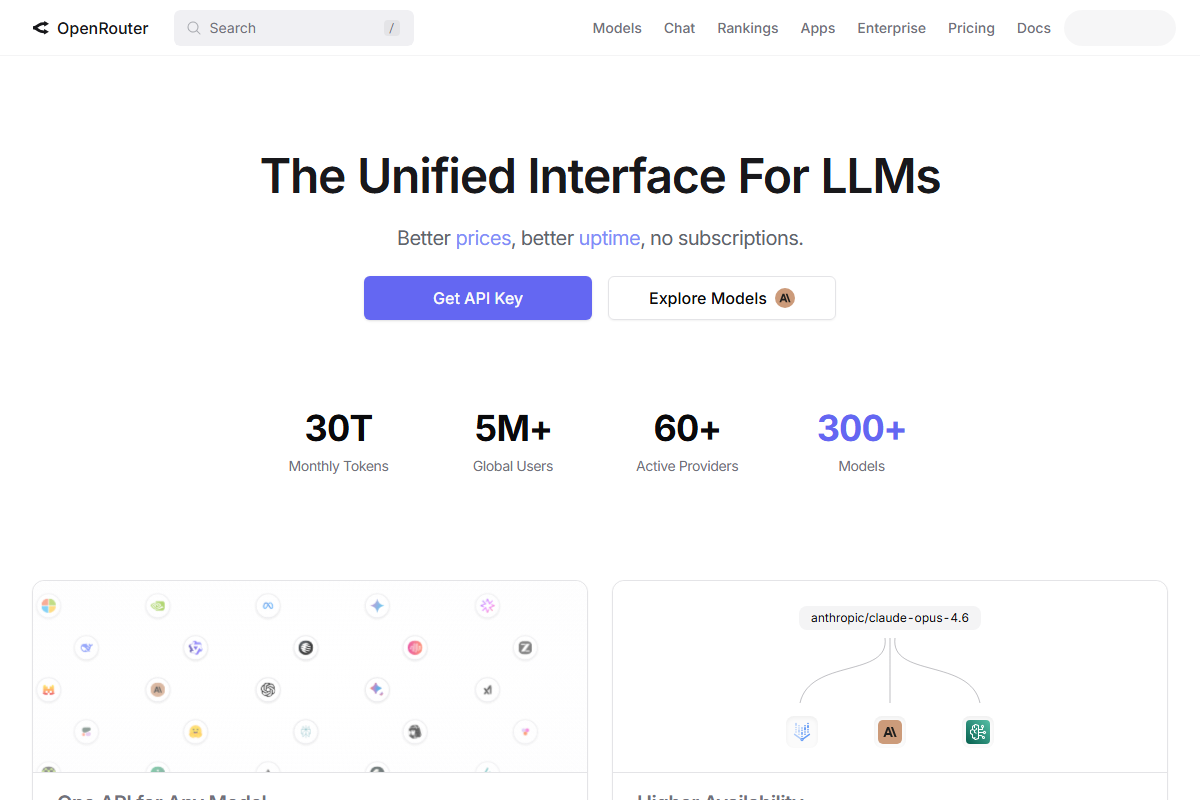
1. OpenRouter — Best for developers who want one API, real benchmarks
OpenRouter launched as a simple unified API for 100+ models and has evolved into the most developer-trusted routing platform. Its v2 "Smart Routing" engine integrates live benchmark data from HELM and LMSYS leaderboards to route based on real performance, not just cost.
What it does well:
100+ models accessible through a single API endpoint
Live benchmark integration means routing decisions are grounded in actual evals
Cost-cap controls let you set maximum spend per request or monthly budgets
Multi-model fallback chains (e.g., GPT-4.5 → Claude 3.7 → Llama 3.4) for reliability
Latency-aware routing for time-sensitive use cases
Where it falls short:
Observability is improving but still behind dedicated gateway tools
No built-in eval pipeline — you need to bring your own benchmarks
Best-in-class pricing transparency for benchmarks, but enterprise SSO and audit logs require a higher plan
Best for: Developers who want model flexibility and trust OpenRouter's benchmark data to drive routing decisions. Small-to-mid teams that want one endpoint without building their own logic.
Tip: OpenRouter's "best of" routing mode automatically selects the cheapest model that meets a minimum quality threshold — this is the easiest way to get intent-classification-style savings without configuring anything.
2. Portkey — Best for enterprises that need observability + routing
Portkey is the most full-featured AI gateway on the market. Where OpenRouter wins on routing intelligence, Portkey wins on the infrastructure around it: trace-level observability, fallback chains, semantic caching, retries, and cost tracking across every provider.
What it does well:
Full request tracing with token-level cost attribution
Semantic caching with configurable TTL
Fallback chains that actually work (not just "try again with same provider")
Guardrails and output validation
Cooperative multi-request (parallel calls to multiple providers, return first response)
Where it falls short:
Routing logic is less sophisticated than OpenRouter's benchmark-driven approach
Configuration complexity is high — the feature surface is large
Pricing is consumption-based and can surprise you at scale
Best for: Enterprises running multi-provider LLM stacks who need to understand where money is going and have the engineering capacity to configure a powerful tool properly.
3. LiteLLM — Best for teams that want full control and self-host
LiteLLM is open-source and self-hostable. It gives you a unified OpenAI-compatible API across 100+ LLMs, with built-in cost tracking, retries, and load balancing. If you want to own your infrastructure, LiteLLM is the foundation.
What it does well:
Full control — no dependency on a third-party service for your routing logic
OpenAI-compatible API means you can swap providers without changing your code
Extensive provider support including Azure, AWS Bedrock, and self-hosted models
Active open-source community with fast updates
Where it falls short:
You own the reliability — if LiteLLM goes down, your routing goes down
Observability requires additional setup (OpenTelemetry, dashboards, etc.)
"Build your own brain" — LiteLLM gives you the primitives, not the intelligence
Best for: Engineering teams with strong DevOps capacity who need compliance-aware routing (HIPAA, GDPR data residency) or want to avoid per-request proxy fees at scale.
Warning: Self-hosting LiteLLM shifts costs from subscription fees to engineering time and infrastructure. Calculate the true cost before assuming it's cheaper.
4. Cloudflare AI Gateway — Best for edge-optimized workloads
Cloudflare's AI Gateway is the simplest option on this list, and it's free. If your workloads run on Cloudflare Workers or you want edge-based caching and rate limiting with minimal setup, it's compelling.
What it does well:
Free tier with generous limits
Edge caching reduces latency for geo-distributed users
Rate limiting, retries, and payload logging out of the box
Minimal configuration — adds basically no latency overhead
Where it falls short:
Model support is narrower than OpenRouter or LiteLLM
Routing logic is basic — not intent-classification or benchmark-driven
Limited observability beyond request logs
Best for: Teams already in the Cloudflare ecosystem who want basic gateway features without paying. It's a great starting point, not a destination.
5. Martian — Best for cost-conscious startups
Martian is the YC-backed router that uses small local models to classify prompts and route them intelligently. The pitch is high savings with low configuration overhead.
What it does well:
Intent classification built in (not just load balancing)
Spend caps and cost controls at the request level
Simple integration — fewer knobs than Portkey
Where it falls short:
Newer product — less production battle-testing than OpenRouter
Smaller team means slower feature development and support response
Routing intelligence is good but not benchmark-grounded like OpenRouter v2
Best for: Startups that want meaningful cost savings without hiring a dedicated AI infrastructure engineer.
6. Helicone — Best for observability-focused teams
Helicone isn't primarily a router — it's an observability and caching layer that sits in front of your LLM calls. But its semantic caching and custom routing logic make it a routing-adjacent tool worth knowing.
What it does well:
Prompt-level cost analytics with minimal setup
Semantic caching that actually works (unlike exact-match caching)
Custom routing with Lua scripting for advanced use cases
Excellent for understanding what's costing you money after the fact
Where it falls short:
Not a routing platform per se — it observes and caches, then optionally routes
Requires your own routing logic on top for active cost optimization
Best for: Teams that want deep observability into their existing LLM calls before committing to a full routing platform.
The Hidden Costs Nobody Tells You About
Here's where the marketing gets thin. Adding a router to your stack is not free — in money, time, or complexity.
Latency Overhead
Every router adds at least one network hop. For non-streaming requests, 5–10ms is invisible. For streaming responses in real-time interfaces (voice, coding assistants, chatbots), that overhead is felt.
For the growing category of real-time AI applications — voice-to-voice, robotics, autonomous systems — even 5ms matters. Some teams have moved to "localized gateway chips" to eliminate this overhead cite: AI infrastructure latency trends 2026, but that's not an option for most teams today.
Eval Pipelines Are Non-Negotiable
If you're using intent classification routing, you need a way to know if your classifier is making good decisions. That means:
A benchmark dataset with known-good outputs
Automated evaluation running on a sample of routed requests
A process to retrain or adjust the classifier when quality degrades
Most teams skip this step, which is why you see the community's top complaint: "Routing to cheaper models degraded our output quality." The routing wasn't bad — the evaluation wasn't there to catch it.
Configuration Complexity
Portkey's feature set is powerful, but configuring fallback chains, rate limits, cost budgets, guardrails, and semantic caching takes real time. Teams consistently underestimate this. Budget a sprint, not an afternoon.
Context Fragmentation
If you're routing different turns in a multi-turn conversation to different providers, you need to handle context window differences between models. GPT-4o and Claude 3.7 have different context limits and different pricing per token. A conversation that starts on GPT-4o might not fit cleanly on Claude. This sounds minor but causes silent failures and corrupted outputs in production.
Bill Shock from Misconfiguration
The community's top horror story: a misconfigured fallback chain sends a request to the most expensive model as a last resort, and that last-resort fallback fires 500 times in an hour. Or semantic caching is misconfigured and every cache lookup counts as a billable token. Router misconfigurations are easy to make and easy not to notice until the bill arrives.
How to Choose the Right Router for Your Stack
Not every team needs a router. And for those that do, the right choice depends on your priorities. Use this decision tree:
Step 1: What's your primary goal?
Cost reduction → Intent classification routing (OpenRouter v2 "best of," Martian)
Reliability / uptime → Fallback chains (Portkey, OpenRouter)
Latency / edge performance → Cloudflare AI Gateway
Compliance / data residency → LiteLLM self-hosted
Observability before routing → Helicone
Step 2: Self-hosted or managed?
Factor | Managed | Self-hosted |
|---|---|---|
Engineering time to set up | Low (hours) | High (days to weeks) |
Ongoing ops burden | Low | High |
Cost at scale | Per-request fees | Infrastructure only |
Compliance control | Varies by vendor | Full |
Reliability | Vendor SLA | Your SLA |
If you're under 50 developers and don't have a dedicated platform team, managed is almost always the right call. The per-request fees at scale are almost always cheaper than the engineering time to self-host.
Step 3: How much routing intelligence do you need?
Basic (load balancing) → Cloudflare AI Gateway, LiteLLM defaults
Moderate (intent classification) → Martian, OpenRouter "best of"
Advanced (benchmark-grounded routing) → OpenRouter v2 Smart Routing
Don't buy more routing intelligence than you can evaluate. If you don't have an eval pipeline, an intent-classification router will degrade your quality silently.
The One Question to Ask Before Adding Any Router
Here's the contrarian take: maybe you don't need a router yet.
The right time to add a model router is when you've hit the limits of a single provider — cost overruns, rate limit frustration, or a genuine need for provider diversity. If you're running a startup with one product, one model, and costs that fit in a budget, the complexity of routing adds more problems than it solves.
A single-provider setup with good caching and a clear cost monitoring dashboard will take you further than a misconfigured router.
You know you're ready for a router when:
You're regularly hitting rate limits on your primary provider
Your monthly LLM bill is high enough that a 30% reduction meaningfully changes unit economics
You have workloads with genuine task-type diversity (simple Q&A alongside complex reasoning)
You have the engineering capacity to configure and maintain it properly
Until those conditions are met, a good prompt cache, smart temperature settings, and a clear view of your token usage will serve you better than any router on this list.
Conclusion
AI model routers are genuinely useful infrastructure in 2026 — but the useful ones are less flashy than the marketing, and the flashy ones are less useful than the community claims. The tools worth knowing about (OpenRouter, Portkey, LiteLLM) have earned their reputation through production use. The routing strategies that actually save money (intent classification, hybrid caching) require investment in evaluation to work correctly.
The best thing you can do is be specific about your goal before you start evaluating tools. Cost reduction, reliability, latency, observability — these lead to different choices. And if you're not sure yet whether you need a router, the honest answer is: probably not until you're paying enough to feel it.
Your next step: Audit your current LLM spend and categorize your workloads. If you have a mix of task types and your bill is high enough to matter, start with OpenRouter's "best of" routing on a single endpoint — lowest friction, meaningful savings. If you need deeper observability first, add Helicone before you add routing.
Good luck. And watch your bills.