Amazing AI UI design generators to revolutionize your workflow
What is an AI UI Design Generator?
An AI UI design generator uses machine learning to automate interface creation. These tools transform rough ideas into polished designs, generating layouts, components, and even complete page structures based on text descriptions or simple inputs.
Traditional design requires manually positioning elements, adjusting spacing, and selecting colors. AI generators handle this automatically. You describe what you need—a dashboard for analytics, a login screen for a mobile app, a product listing page for an e-commerce site—and the tool produces usable designs within seconds.
These tools work through various AI approaches. Some analyze millions of existing designs to predict optimal layouts. Others generate components based on design system rules. The best tools combine multiple approaches, learning from your preferences while applying established design principles.
Modern AI UI generators integrate directly with design tools and development workflows. They export to Figma, React, or HTML. This integration eliminates the traditional handoff between design and development, accelerating product delivery significantly.
Why Use an AI UI Design Generator?
Design teams face constant pressure to deliver faster while maintaining quality. AI UI generators address this challenge directly by handling time-consuming tasks that don't require human creativity.
Speed represents the primary benefit. Creating a complete page layout manually takes hours. AI generates the same layout in seconds. This acceleration matters particularly during early stages when exploring multiple concepts. Teams can test approaches quickly, iterating toward optimal solutions.
Consistency improves automatically. AI applies design system rules uniformly across all generated content. Colors, spacing, typography, and component patterns remain consistent without manual enforcement. This consistency would otherwise require extensive documentation and review processes.
These tools also democratize design. Product managers, developers, and other team members can generate initial designs without waiting for design resources. Professional designers then refine and enhance AI outputs, focusing their expertise on higher-level decisions rather than repetitive layout tasks.
The learning curve disappears for basic tasks. Non-designers produce acceptable results immediately. This capability helps smaller teams where dedicated design resources don't exist. It also helps larger organizations where design teams can't scale to meet all requests.
1. Visily.ai
Visily combines AI generation with intelligent editing capabilities. The tool understands design context, suggesting appropriate components based on what you're building. Its interface feels familiar to users of traditional design tools while adding AI-powered acceleration.
The platform excels at converting rough ideas into structured designs. You can start with text descriptions, sketches, or even wireframes. Visily's AI interprets these inputs and generates corresponding high-fidelity designs. The interpretation quality exceeds competitors for complex, multi-component interfaces.
Collaboration features support team workflows effectively. Multiple team members work on shared projects simultaneously. Version history tracks changes automatically. Comments and feedback integrate directly into the design environment.
Export options cover common development workflows. Figma files export cleanly. Code generation produces React, Vue, or HTML/CSS. This flexibility means Visily fits into existing toolchains without forcing process changes.
Pricing tiers accommodate different team sizes. Individual designers access core features affordably. Enterprise plans include advanced collaboration, SSO integration, and priority support.
2. Uizard
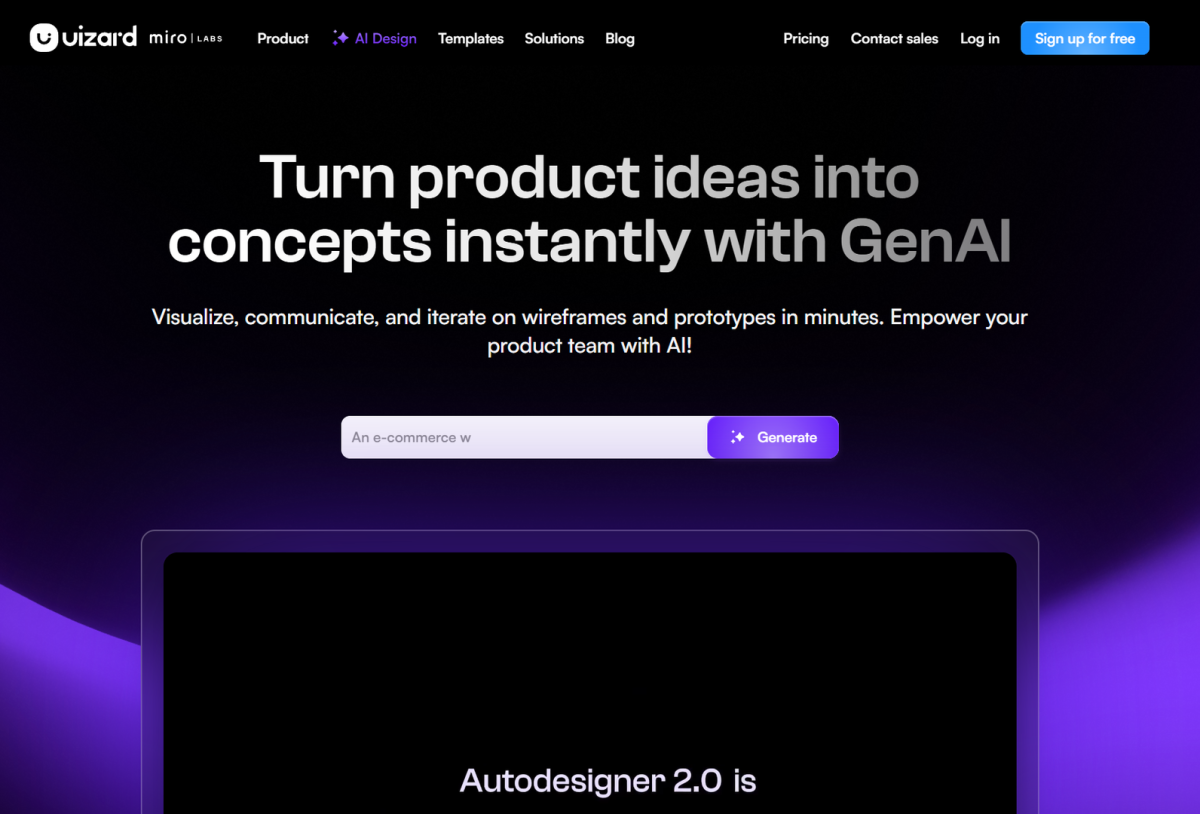
Uizard specializes in rapid prototyping for non-designers. The platform's strength lies in accessibility—anyone creates usable interfaces without design training. This approach serves startups and side projects particularly well.
The sketch-to-design feature impresses consistently. Upload a photo of a hand-drawn wireframe. Uizard's AI recognizes UI patterns and converts them to clean digital components. The recognition handles various drawing qualities, working with rough sketches and more detailed drawings alike.
Component libraries cover common patterns. Social feeds, e-commerce listings, form layouts, and dashboard elements all generate from templates. Customization remains straightforward—adjust colors, swap images, modify text without leaving the generated design.
Mobile-first workflows work smoothly. Generating responsive designs happens automatically. You create for one screen size, and Uizard produces variants for other dimensions. This automation eliminates tedious adjustment work.
The free tier provides meaningful functionality. Small teams and individual projects use Uizard without payment. Paid plans unlock additional features and remove export limitations.
3. Galileo AI
Galileo focuses on sophisticated users who want AI assistance without sacrificing control. The platform generates designs that feel professionally crafted, applying design principles automatically while allowing extensive customization.
Text-to-design capabilities produce impressive results. Describe your requirements conversationally—"a landing page for a B2B SaaS product with a hero section, feature grid, pricing table, and footer"—and Galileo generates corresponding layouts. The interpretations capture intent accurately, producing reasonable first drafts.
Component intelligence shows throughout the platform. Generated elements include appropriate states, respond to interactions realistically, and maintain internal consistency. Buttons behave like buttons. Forms validate appropriately. Navigation follows expected patterns.
Integration with design tools maintains workflow flexibility. Export to Figma preserves component structure and naming conventions. Developers receive clean code while designers continue working in their preferred environment.
Enterprise features address organizational needs. Design system integration ensures generated content follows brand guidelines. Admin controls manage team access and permissions. API access enables programmatic generation within automated workflows.
4. Figma with AI Plugins
Figma remains the dominant design platform, and AI plugins extend its capabilities significantly. Rather than replacing designers, these plugins accelerate existing workflows within a tool teams already use.
Various AI plugins address different needs. Some generate color palettes from images. Others create component variants automatically. Several plugins produce complete layouts from wireframes or descriptions. The ecosystem approach means you select plugins matching your specific requirements.
The advantage lies in staying within Figma's environment. Teams already know Figma. Learning curves disappear. AI capabilities augment existing skills rather than requiring tool migration.
Plugin quality varies significantly. Research specific plugins before relying on them. The best plugins receive consistent updates and support active communities. Some plugins promise AI features but deliver limited functionality.
Figma's own AI features have expanded recently. Smart layout, auto-variant generation, and search improvements use AI under the hood. These native features work seamlessly compared to third-party plugins.
5. Adobe XD
Adobe XD offers AI-assisted design within the broader Creative Cloud ecosystem. Users already invested in Adobe products gain AI capabilities without additional tool adoption.
Generative features help with initial exploration. The tool suggests layout variations, color treatments, and component arrangements. These suggestions spark ideas and accelerate the creative process.
Voice prototyping represents a unique capability. Design conversational interfaces for voice assistants. This feature anticipates voice-first interfaces becoming more prevalent as AI assistants mature.
Integration with other Adobe products flows naturally. Assets move between XD, Photoshop, and Illustrator without friction. Teams using multiple Adobe products benefit from this ecosystem approach.
The platform's future direction affects adoption decisions. Adobe's AI investments continue, but product roadmaps change. Evaluate current capabilities against ongoing development priorities.
6. Canva's AI Features
Canva brings AI design to mainstream users through an accessible platform. Millions create designs without professional training, and AI features accelerate their work significantly.
Magic Design generates complete layouts from prompts. Describe what you need—a social media post, presentation slide, or website banner—and Canva produces multiple options. Select the closest match and customize further.
Background removal, image enhancement, and translation happen automatically. These capabilities eliminate tedious manual tasks. Users focus on content and messaging rather than technical execution.
Template suggestions improve constantly. Canva learns from user behavior, surfacing relevant templates based on project types and past choices. This personalization makes finding appropriate starting points faster.
The free tier satisfies casual users. Professional features require paid plans, but the entry point remains low. Teams can evaluate capabilities before committing financially.
7. Other Notable AI UI Design Generators
Beyond major platforms, specialized tools serve specific use cases effectively.
Framer includes AI generation within its prototyping environment. Teams building interactive prototypes appreciate the direct path from generation to functional mockups. The tool suits projects where interaction fidelity matters.
Sketch has added AI capabilities through plugins. macOS-exclusive limits adoption but serves users within that constraint well. Longtime Sketch users maintain their workflow while gaining AI assistance.
Builder.io's platform targets e-commerce specifically. Product pages, category listings, and checkout flows generate with sales optimization in mind. Retail teams benefit from domain-specific understanding.
How to Choose the Best AI UI Design Generator
Selecting the right tool requires evaluating several factors against your specific needs.
Skill levels matter significantly. Tools like Uizard serve non-designers effectively. Professional designers might prefer Galileo or Visily's greater control. Match tool capabilities to actual user expertise.
Integration requirements determine practical utility. A tool generating beautiful designs but exporting poorly creates bottlenecks. Verify export formats match your development workflow before committing.
Team size influences pricing practicality. Enterprise pricing makes sense for large teams but burdens small groups. Calculate per-user costs against expected benefits.
Trial periods allow practical evaluation. Sign up for free tiers or demos. Attempt actual work tasks. Only experience reveals whether tools work for your specific scenarios.
Feature roadmaps indicate future direction. AI capabilities evolve rapidly. Tools actively developed will improve. Stagnant products may become obsolete.
Tips for Maximizing Your AI UI Design Generator
Getting the most from AI design tools requires strategic approach.
Start with clear requirements. Vague prompts produce mediocre results. Specific, detailed descriptions generate better matches. Take time to articulate what you need before generating.
Iterate through multiple options. Generate several variations. Compare approaches. Select the closest match and refine. AI excels at producing starting points; humans excel at refinement.
Maintain design system consistency. Establish colors, typography, and component patterns. Tools respecting these constraints produce consistent results. Check generated designs against standards before proceeding.
Use AI for exploration, humans for refinement. Let AI try approaches you might not consider. Evaluate these explorations critically. Incorporate successful experiments into your design vocabulary.
Document successful prompts. Patterns emerge across projects. Capture effective descriptions for reuse. Build a library of prompts matching your common needs.
The best results emerge from collaboration between AI capabilities and human judgment. Use AI to handle mechanical tasks rapidly. Reserve human expertise for decisions requiring context, creativity, and strategic thinking.
Stefan Tran
Tek lover