Things to Know About NotebookLM in 2026
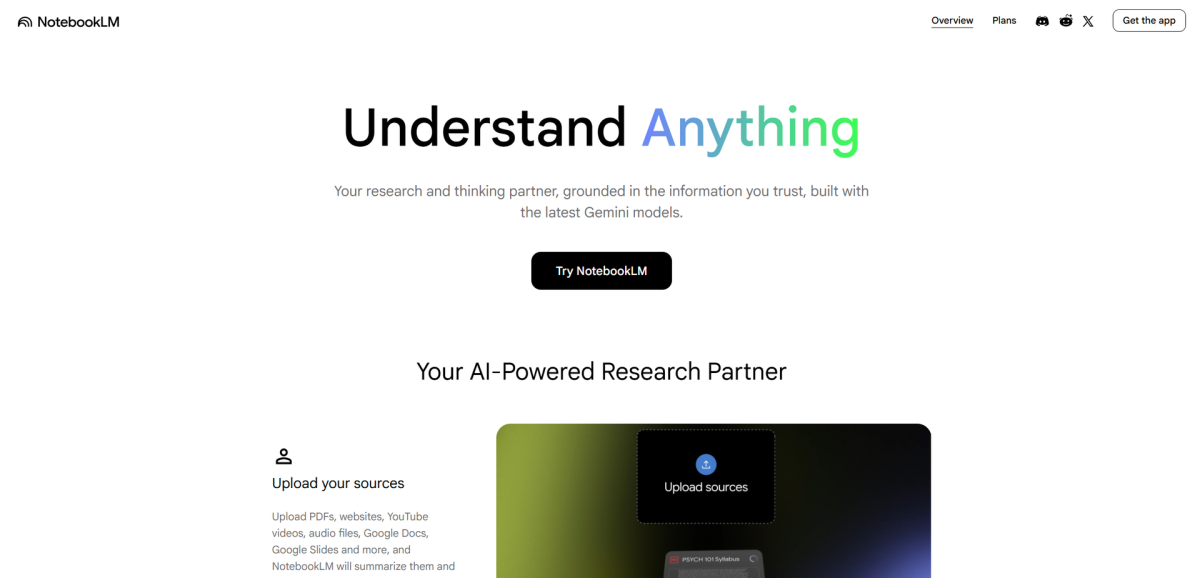
You upload a PDF. You ask a question. NotebookLM answers. Sounds simple. But if you have ever asked NotebookLM something and gotten a confident, completely wrong answer, you already know the catch: NotebookLM is only as good as what you give it.
That is not a bug. It is the entire point. Unlike a general chatbot that pulls from everything it has ever seen, NotebookLM works exclusively from your sources. It cannot make things up from thin air — except, sometimes, it can. And that is one of the first things you need to know about it.
This guide covers the things the tutorials skip: the real limitations, the genuine strengths, and how to actually build a research workflow that works around NotebookLM instead of against it.
What NotebookLM Actually Is (and Why It Is Not a Chatbot)
Most people first hear about NotebookLM from a friend or a YouTube video. The pitch sounds like a chatbot with superpowers: upload your documents, ask anything, get answers. And for about five minutes that seems accurate.
Then you hit a wall and it stops making sense.
The distinction that matters is source-grounding. NotebookLM does not have general knowledge. It does not know about events after its training cutoff, it cannot answer questions about things you have not uploaded, and it has no awareness of your industry unless you feed it relevant sources. When it answers a question, it is reading your documents — not recalling facts from the internet.
This is what makes it genuinely different from ChatGPT or Perplexity. When you ask NotebookLM about a contract you uploaded, the answer comes from that contract. When you ask it about a scientific paper, it is reasoning from that paper. The citations it produces — the highlighted excerpts in the sidebar — are clickable links back to the exact passage it used.
That is the product. Everything else flows from that one constraint.
What NotebookLM Does Brilliantly
With the right sources and the right questions, NotebookLM is genuinely impressive. These are the use cases where it consistently delivers:
Literature reviews. Upload five papers on the same topic and ask NotebookLM to compare their findings. You get a structured summary grounded in each source, with citations pointing to specific sections. What would take a research assistant an afternoon takes NotebookLM about two minutes.
Meeting notes and action items. Paste a meeting transcript or upload meeting notes. Ask for a summary, key decisions made, and action items with owners. NotebookLM handles this cleanly, especially for recurring meetings where you are tracking long-running projects.
Cross-document Q&A. Have a 300-page report and a 50-page addendum? Upload both and ask a question that requires reasoning across both documents. NotebookLM will surface connections you might miss reading sequentially.
Audio Overviews. This is the feature that gets the most buzz. NotebookLM generates an AI-hosted podcast — two synthetic hosts — that discuss your uploaded sources in a conversational format. It is genuinely useful for reviewing complex material on the go, or for getting a high-level summary before diving into a document. The hosts summarise key points, highlight disagreements between sources, and flag gaps.
Think of it less like a replacement for reading and more like a colleague who read everything before the meeting and is briefing you on the walk in.
The Five Things Most Beginners Get Wrong
These are the mistakes that appear in Reddit threads again and again. Avoiding them is the difference between NotebookLM being useful and NotebookLM being frustrating.
Treating citations as fact. NotebookLM sometimes cites sources that do not actually support the claim it is making. Reddit users call these "hallucinated citations" — the model finds a relevant passage and confidently attributes a conclusion to it that the passage does not support. This is the single most common complaint in the NotebookLM community. Always click through and read the highlighted source passage before treating a citation as settled.
Uploading enormous documents without chunking. NotebookLM has a context window, and very large documents — especially poorly formatted scans — can exceed it or fail to index correctly. Break large PDFs into chapters or sections before uploading. A 200-page well-structured PDF will outperform a 200-page scanned mess every time.
Asking vague questions and blaming the tool. "Tell me about this" is not a useful query for any research tool. NotebookLM thrives on specificity. "What does this paper say about the relationship between X and Y?" gets a useful answer. "Tell me about this" gets a meandering summary that tells you more about the model's uncertainty than about your document.
Ignoring file format limitations. NotebookLM accepts PDFs, Google Docs, websites, YouTube videos, and audio files. It does not accept DOCX, PPTX, or most proprietary formats. Beginners frequently hit a wall when they try to upload a Word document and nothing happens. Converting to PDF first solves this.
Expecting it to think for you. NotebookLM is a research accelerator, not a research replacement. It can surface information, summarise arguments, and generate audio briefings. It cannot evaluate whether the sources you uploaded are any good, whether the conclusions are sound, or whether you are asking the right question. That part is still yours.
When to Use NotebookLM vs ChatGPT vs Perplexity
This is the question that surfaces most in comparison threads, and the honest answer is simpler than the thinkpieces make it sound:
Use NotebookLM when you have documents and need answers grounded in those documents. Research reports, contracts, academic papers, meeting notes — anything where the source matters more than the model's general knowledge.
Use ChatGPT when you need general knowledge, creative work, help structuring your own thinking, or when you are starting from scratch and do not yet have a document corpus to work from.
Use Perplexity when you need an answer right now from the live web, with citations to sources you can verify. Perplexity searches the internet in real time. NotebookLM cannot.
The decision tree is roughly this:
Do you have a specific document or set of documents to analyse? → NotebookLM
Do you need the latest news, statistics, or web content? → Perplexity
Neither of the above? → ChatGPT
NotebookLM is not trying to compete with either of them. It is a specialised research tool, not a general assistant. Treating it as the former gets you results. Treating it as the latter gets you frustration.
How to Structure Your First Research Notebook
A good NotebookLM workflow is not just uploading a file and asking questions. Here is what actually works:
1. Define your research question before uploading. Before you add a single source, write down what you are trying to find out. This sounds obvious but most people skip it. "Understand the main arguments in this report" is a better question than "summarise this."
2. Choose clean, structured sources. Well-formatted PDFs with clear headings, tables, and sections index much better than raw scans or websites with heavy JavaScript rendering. Academic papers and reports tend to work well. Reddit threads and forum posts tend to perform poorly.
3. Upload two to five sources to start. Too few and NotebookLM has nothing to reason across. Too many and it starts losing track of which source is which. Two to five is the practical sweet spot for a focused research question.
4. Ask specific, layered questions. Start broad — "What is this document about?" — then drill in: "What does it say about X compared to Y?" NotebookLM handles follow-up questions well, so build your understanding incrementally rather than asking everything at once.
5. Use Audio Overview as a first pass. Before reading a long document, generate an Audio Overview. Listen to the 10-minute briefing. If something catches your attention, go back and read the relevant section in detail. This is a genuine time-saver for researchers working through large document sets.
6. Export and verify. When you find a useful answer, click through to the citation. Read the original passage. Then paste it into your notes with the source link. NotebookLM gives you the trail — you still need to walk it.
The Honest Verdict on NotebookLM in 2026
NotebookLM has matured significantly. The Audio Overview feature is genuinely useful for busy professionals who need to stay across large document sets. Source-grounding works as advertised for well-structured material. The citation system — for all its occasional failures — is still more trustworthy than the unverified outputs of a general chatbot.
The hallucinations are real. Citation accuracy is improving but not solved. The file format restrictions and context window limits are genuine friction points that the tutorials never mention. And the tool is only as good as the sources you bring to it.
If you work with documents — research papers, contracts, reports, meeting notes — NotebookLM is worth the setup time. It will not replace your reading, but it will make your document research faster and more systematic.
If you are expecting a general AI assistant that happens to know about your files, you will be disappointed. NotebookLM is not a chatbot with a file upload button. It is a research tool that happens to use a chat interface. Understanding that difference is probably the most important thing to know about it.