The Best Free Claude Skills Resources in 2026
Introduction
You've heard about Claude skills. Maybe you've tried a few. But if you've ever opened a "best Claude skills" list and found yourself more confused than when you started — you're not alone.
The problem isn't that good resources don't exist. It's that the landscape is scattered across Anthropic's official GitHub, half a dozen community directories, partner programs, and Reddit threads that were outdated before they were published. Most lists just scrape names and call it a guide.
This post fixes that. I'll rank the free Claude skills resources that are actually worth your time in 2026, tell you what each one is good for, and flag what to skip. No fluff. No AI-generated listicles. Just the map.
> 💡 Tip: The single most useful resource on this list is one most people skip — keep reading to Section 2.
Why Skills Matter Right Now
Think of AI assistants in 2026 like a smartphone before you install any apps. Out of the box, it's capable — but the real power only unlocks once you add the right tools.
Claude skills are those tools. A skill is a structured set of instructions that tells Claude how to behave, what tools to use, and how to handle a specific type of task. Unlike a loose prompt, a skill is repeatable, shareable, and purpose-built.
Why does this matter right now?
- The ecosystem has exploded — Anthropic's official library has over 104k GitHub stars - Community directories have emerged to fill the discoverability gap - The line between "skill" and "agent" is blurring as the tools get more capable
Whether you're a developer who wants Claude to test your web app, a writer who wants structured document collaboration, or a power user who wants Claude to handle real workflows — skills are where it starts.
Official Anthropic Resources
These are the authoritative sources. Everything else traces back to these.
The Official GitHub Library (github.com/anthropics/skills)
This is the primary source. The repo has 104k+ stars and contains 17 skills across four categories:
- Creative & Design: algorithmic-art, canvas-design, slack-gif-creator, web-artifacts-builder - Development & Technical: claude-api, frontend-design, mcp-builder, webapp-testing - Enterprise & Communication: brand-guidelines, doc-coauthoring, internal-comms - Document Skills (source-available): docx, pdf, pptx, xlsx - Meta: skill-creator, theme-factory
> 🚀 Pro tip: The skill-creator skill is itself in the library. You can literally use Claude to bootstrap your own skills — the repo is self-referential in the best way possible.
Not all skills are production-grade. Some are experimental or proof-of-concept. The ones most worth your time in 2026: - skill-creator — use Claude to generate Claude skills - frontend-design — genuinely useful for production UI work - mcp-builder — builds Model Context Protocol servers for extending Claude's reach
The Official Documentation
Anthropic's Claude Code skills docs are the cleanest starting point for understanding how skills work in practice. Well-structured, accurate, and updated with each release.
Start here if you're new: docs.anthropic.com/en/docs/claude-code/skills
The Engineering Blog
The post "Equipping agents for the real world with Agent Skills" explains why Anthropic built the skills system and what design decisions shaped it. Useful context for understanding the philosophy — not a how-to guide.
The Unofficial Complete Guide
Anthropic publishes "The Complete Guide to Building a Skill for Claude" as a free PDF. It's the most thorough walkthrough available — better than anything the community has produced.
What to skip: the Best Practices Guide on the Anthropic console. It's useful but overlaps significantly with the docs above — if you're reading one, you probably don't need both.
Community & Third-Party Directories
The official library is great — but it's a curated set of examples. Community directories are where you find skills for specific niches that Anthropic hasn't built.
Smithery.ai
The largest community skills directory. Covers skills for multiple AI platforms, not just Claude — so the selection is broad. Quality varies significantly: you'll find genuinely useful skills alongside one-person repos that haven't been updated in two years.
How to use it well: treat it like GitHub — check commit history, open issues, and star count before installing anything.
Skills.sh
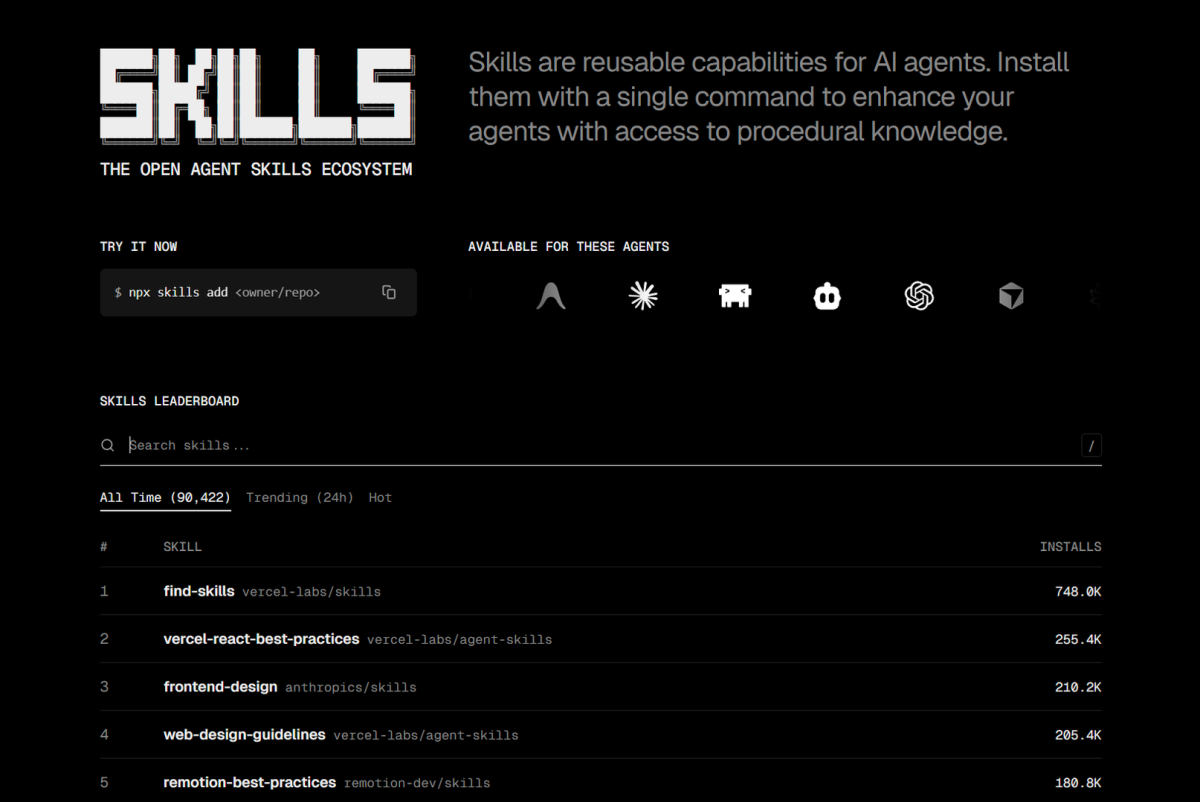
An open, community-driven skills directory. Smaller than Smithery but more curated in some niches. The ecosystem is younger, which means fewer skills but potentially fresher content. Worth checking if Smithery doesn't have what you need.
SkillsMP and Skillhub.club
Smaller, niche directories. Both have merit but both also have the same problem: it's hard to tell which skills are actively maintained and which are abandoned one-person projects.
> ⚠️ Warning: A skill with no commits in 12+ months is probably dead. Check the repo's activity before investing time in it.
How to spot a dead skill before installing:
1. Last commit date — more than 6 months ago is a yellow flag 2. Open issues with no responses — maintainer has moved on 3. README that's just a prompt dump with no real structure 4. No example usage — if the author didn't bother to show it working, neither will you
The Partner Skills Program
Anthropic's Partner Skills program offers official integrations with third-party platforms. The Notion skill is the flagship example — it lets Claude read and write Notion pages directly, making it genuinely useful for knowledge management workflows.
These are different from community skills in one important way: they're production-grade, have formal support, and are backed by the partner company. If a partner skill covers a tool you already use, it's almost always the better choice over a community equivalent.
The tradeoff: the program is new and limited in scope. Partner skills exist primarily for platforms with developer APIs. If your workflow is more custom, community skills are your only option.
How to Evaluate a Skill Before Installing
Here's the checklist I run every skill through before adding it to my workflow:
1. When was it last updated?
Skills are code — they break when upstream dependencies change. A skill updated last month is safer than one from 18 months ago.
2. What does it actually do?
If the description reads like a sales pitch with no technical substance, that's a red flag. A real skill tells you what it does, what inputs it needs, and what outputs to expect.
3. Does it do anything a good prompt couldn't?
Some skills are just wrappers around prompts. Others unlock genuine capabilities — file operations, API calls, tool orchestration. The second category is worth your attention. The first is mostly noise.
4. Are there examples?
If the README doesn't show the skill in action, the author probably hasn't used it seriously. Walk away.
5. What's the community saying?
Not the testimonial on the listing page — search for real usage. Reddit threads, GitHub issues, Twitter posts. One real-world review from someone who hit the same problem you're solving is worth more than 50 generic upvotes.
> 💡 Tip: Before installing a skill, ask yourself: is this solving a recurring problem I have, or am I just curious? Install for the former. Archive the URL for the latter.
My Top Free Picks in 2026
These are the skills and resources I come back to. Not exhaustive — just the ones I've tested and found genuinely worth using:
1. skill-creator (github.com/anthropics/skills) — Use Claude to build Claude skills. The meta-loop is the point.
2. frontend-design (github.com/anthropics/skills) — Solid production tool for UI design tasks. Worth the install.
3. mcp-builder (github.com/anthropics/skills) — Turns Claude into an API that connects to external tools. Extensibility unlocked.
4. docx / pdf / pptx / xlsx (github.com/anthropics/skills) — The document suite. Source-available reference implementations that actually work.
5. doc-coauthoring (github.com/anthropics/skills) — Genuinely useful if you do structured document workflows.
6. Smithery.ai — Best community directory. Start here when Anthropic doesn't have what you need. Treat star counts and commit dates as your quality signals.
7. Anthropic's unofficial PDF guide — The most complete walkthrough for building your own skills. Free, well-structured, and updated.
Conclusion
The free Claude skills resources worth your time fit in two buckets: Anthropic's official ecosystem and a handful of community directories — with the official library being the only one I'd call truly reliable.
The ecosystem is young and fragmented in 2026. It'll get better and more consolidated. In the meantime, resist the urge to collect skills. Build or install only for problems you actually have — and use the evaluation checklist above to filter the noise.
Start with the official GitHub library, pick one skill that solves a real problem you're facing today, and go from there.